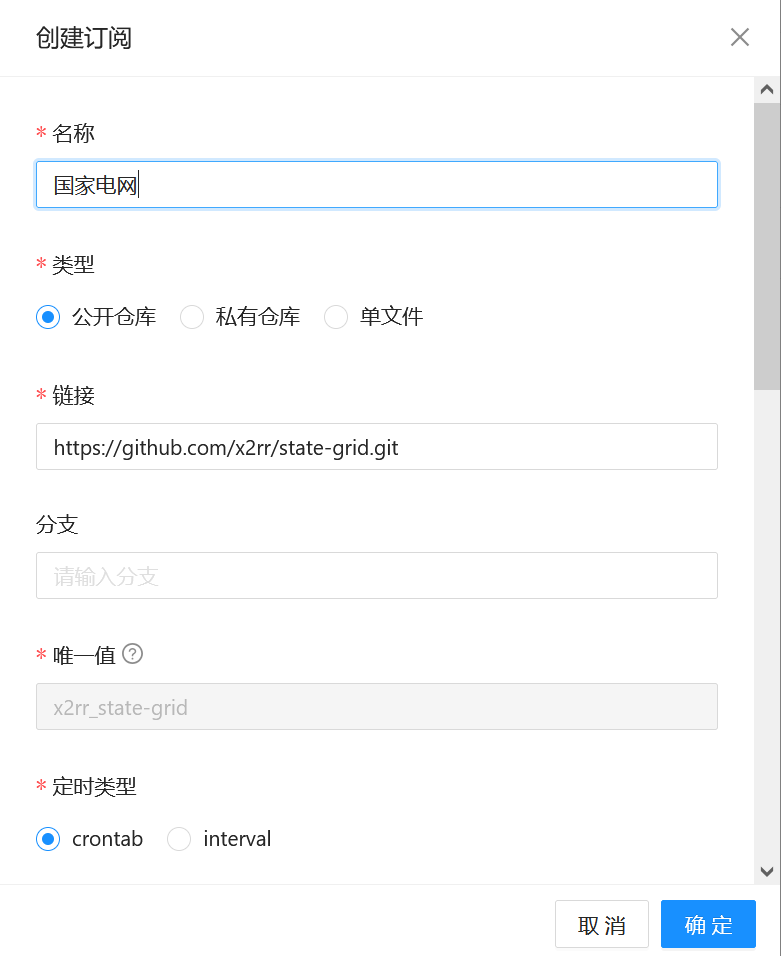
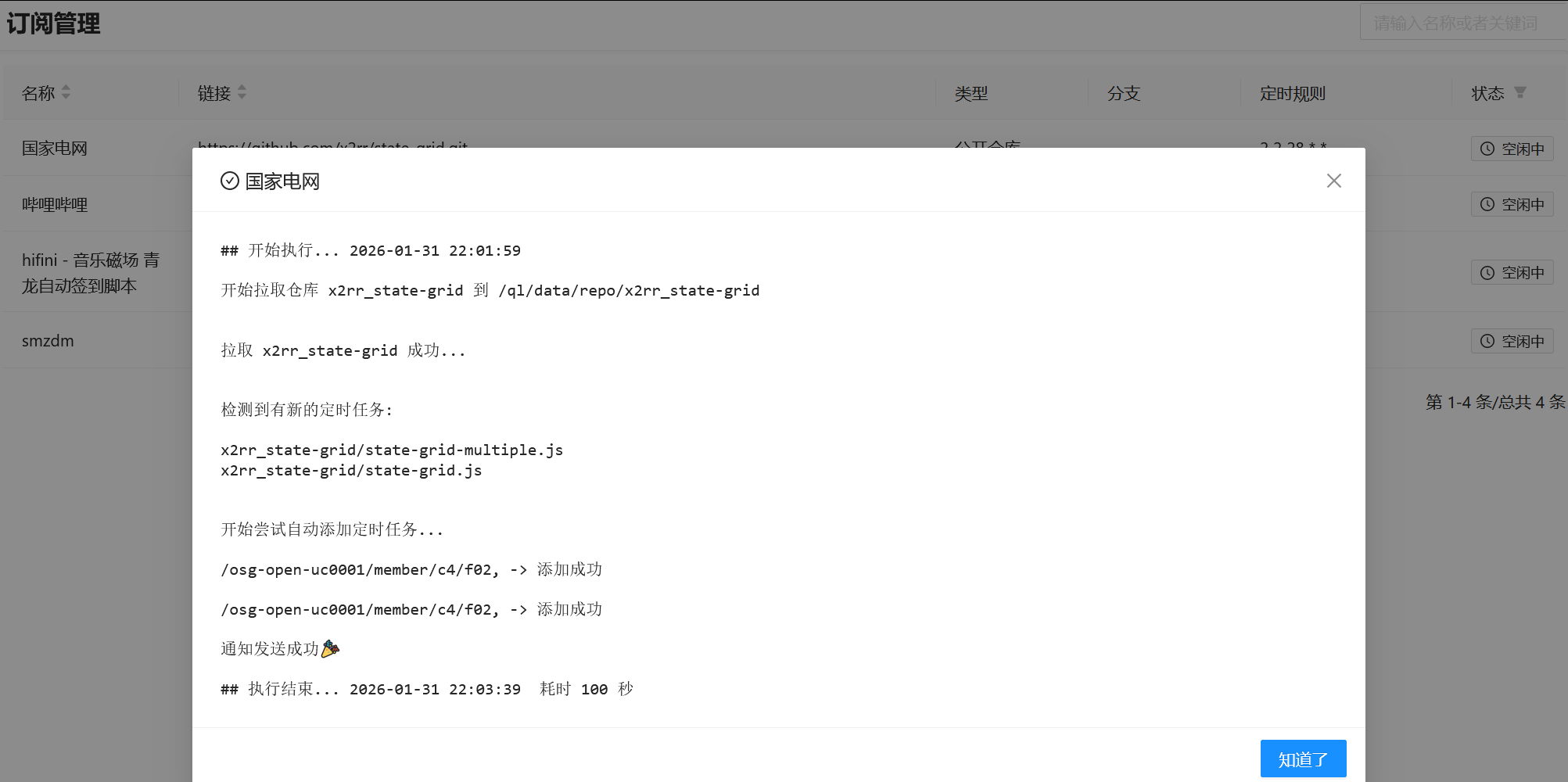
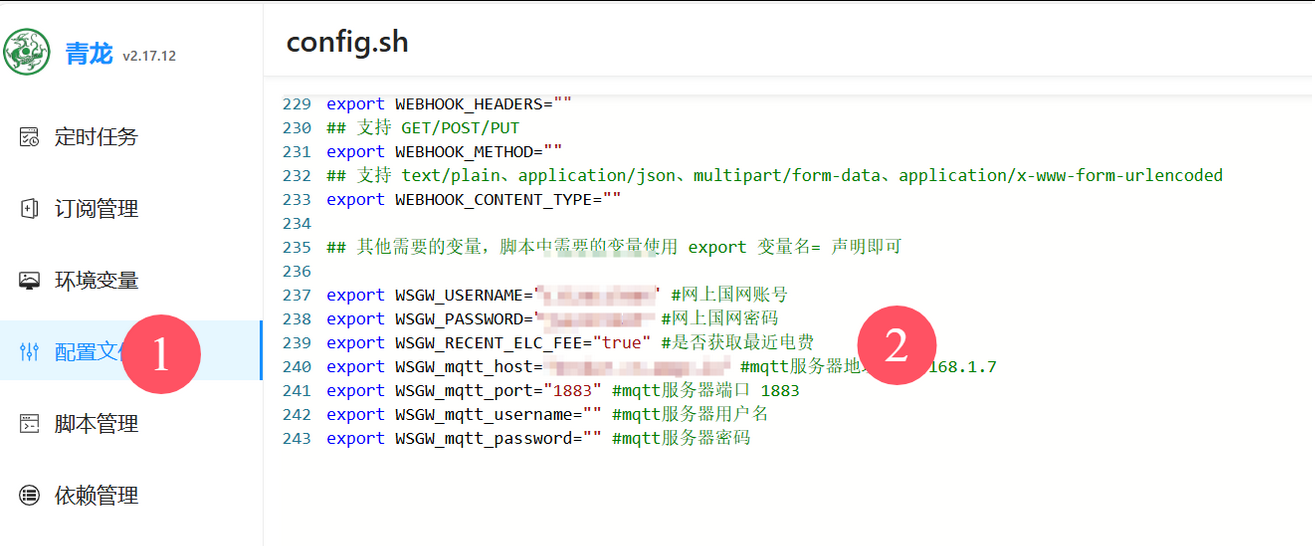
1、完成群辉青龙面板安装 [post cid="8062" cover="" size="small"/] 2、登陆青龙面板订阅国家电网任务 `https://github.com/x2rr/state-grid.git` 运行订阅任务   3、安装mqtt、node-localstorage依赖  4、添加环境变量---前提条件(群辉完成mqtt安装) [post cid="228" cover="" size="small"/]  ``` export WSGW_USERNAME="" #网上国网账号 export WSGW_PASSWORD="" #网上国网密码 export WSGW_RECENT_ELC_FEE="true" #是否获取最近电费 export WSGW_mqtt_host="" #mqtt服务器地址 192.168.1.7 export WSGW_mqtt_port="" #mqtt服务器端口 1883 export WSGW_mqtt_username="" #mqtt服务器用户名 export WSGW_mqtt_password="" #mqtt服务器密码 ``` [login] ``` export WSGW_USERNAME="18860965421" #网上国网账号 export WSGW_PASSWORD="Zhang@620821" #网上国网密码 export WSGW_RECENT_ELC_FEE="true" #是否获取最近电费 export WSGW_mqtt_host="192.168.2.254" #mqtt服务器地址 192.168.1.7 export WSGW_mqtt_port="1883" #mqtt服务器端口 1883 export WSGW_mqtt_username="admin" #mqtt服务器用户名 export WSGW_mqtt_password="Zhang@620821" #mqtt服务器密码 ```  [/login] Loading... 1、完成群辉青龙面板安装 <a class="post_link hover_content_card " href="http://www.cloud620.cn/index.php/archives/8062/" data-title="最后修改:2024 年 10 月 18 日" data-content="下载映像docker目录下创建qinglong文件夹面板地址是你服务器 IP+端口 :5700 ,如果设置了ddns可以使用域名登录"><i data-feather="file-text"></i>群晖docker安装青龙面板 </a> 2、登陆青龙面板订阅国家电网任务 `https://github.com/x2rr/state-grid.git` 运行订阅任务   3、安装mqtt、node-localstorage依赖  4、添加环境变量---前提条件(群辉完成mqtt安装) <a class="post_link hover_content_card " href="http://www.cloud620.cn/index.php/archives/228/" data-title="最后修改:2022 年 05 月 14 日" data-content="1、打开群晖Docker,注册表搜索:mqtt 下载人数最多的第一个eclipse-mosquitto,我安装好几次,选了好多版本都无法连接到mqtt,最后选择了1.6.9的版本 2、点击下载好的镜像文件创建容器,输入容器名字,点击高级设置 3、勾选启用自动重新启动 4、点击网络—-勾选与docker host相同的网络,点击应用,一直下一步直到创建完成 5、进入容器,双击MQTT..."><i data-feather="file-text"></i>群晖MQTT安装对接HomeAssisant </a>  ``` export WSGW_USERNAME="" #网上国网账号 export WSGW_PASSWORD="" #网上国网密码 export WSGW_RECENT_ELC_FEE="true" #是否获取最近电费 export WSGW_mqtt_host="" #mqtt服务器地址 192.168.1.7 export WSGW_mqtt_port="" #mqtt服务器端口 1883 export WSGW_mqtt_username="" #mqtt服务器用户名 export WSGW_mqtt_password="" #mqtt服务器密码 ``` <div class="hideContent">该部分仅登录用户可见</div> 最后修改:2026 年 01 月 31 日 © 允许规范转载 打赏 赞赏作者 支付宝微信 赞 如果觉得我的文章对你有用,请随意赞赏